
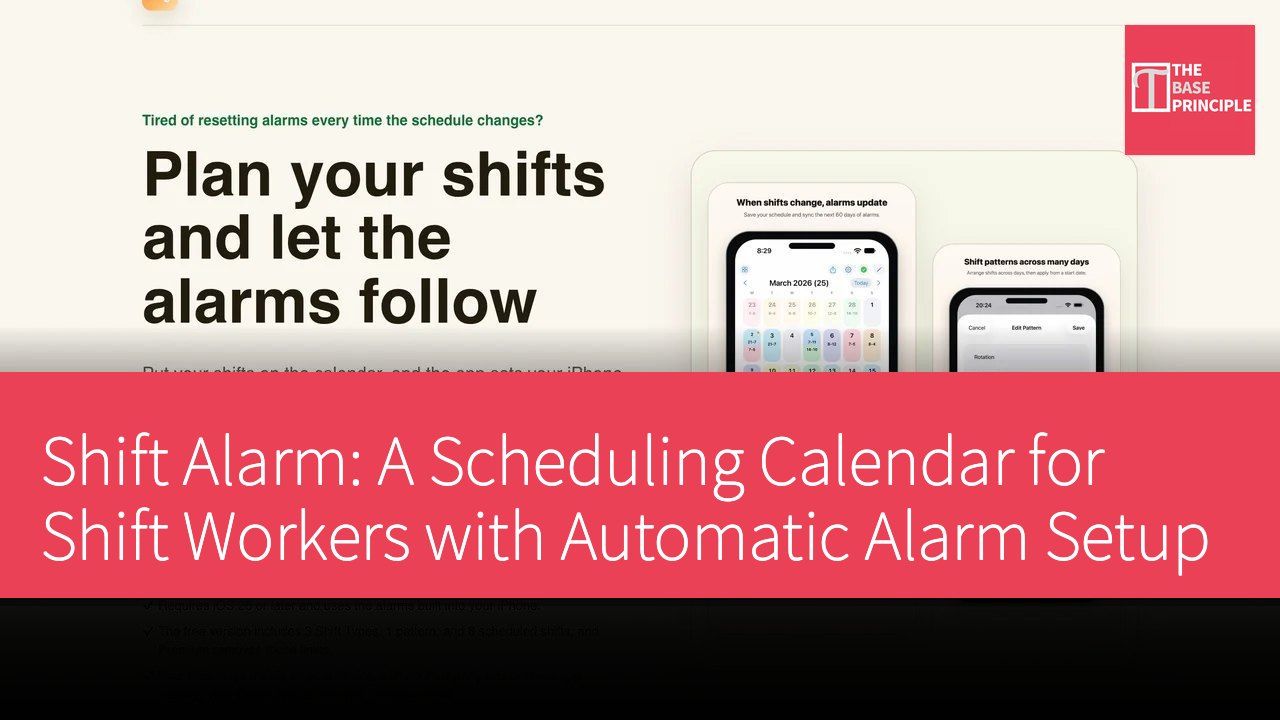
Shift Alarm is an iPhone app designed specifically for shift workers, aimed at addressing the pain points of traditional schedule management. Typical scheduling apps only record shifts, leaving users to manually set alarms in the clock app; the built-in iPhone alarm can only repeat weekly, which does not accommodate shift changes. Shift Alarm connects the two: by entering shifts into the calendar, it automatically sets the built-in iPhone alarms for the next 60 days. If there are last-minute schedule changes, users simply modify the calendar, and the alarms will update accordingly. It also allows users to skip specific alarms or use multi-day templates to set up recurring shifts at once. This app was developed by independent developer PING CHANG YU from Taiwan, providing a personal tool rather than a team scheduling or HR system.
Unique Positioning of Shift Alarm
In the current market, there are many options for scheduling management tools, but most focus solely on recording schedules and do not effectively address users' needs for alarm settings. For example, NurseGrid (iOS nursing schedule) and Supershift (Android shift calendar) can help users manage their schedules, but still require manual alarm setup, which can be a significant inconvenience for shift workers. The innovation of Shift Alarm lies in its integration of scheduling and alarm functions, allowing users to automatically set alarms while scheduling, greatly reducing the operational burden on users. The developer emphasizes that this app is designed for individual users and is not suitable for team scheduling or HR systems, giving it a unique position in the market.
Features and User Experience
The feature design of Shift Alarm aims to provide a simple and efficient user experience. Users first need to download Shift Alarm for free from the App Store (requires iOS 26 or higher) and grant alarm permissions. Next, users can create common shifts, such as morning, evening, night, and on-call shifts, with each shift allowing up to three alarms and the option to remind users on the day of or the day before the shift. This way, when users schedule their shifts, the alarms will be set automatically, avoiding the hassle of manual operation.
Users can select one or multiple days on the calendar, place their shifts, and save them. Once the schedule is saved, the app will automatically set the built-in iPhone alarms for the next 60 days. This functionality alleviates concerns about last-minute schedule changes; users only need to make simple modifications on the calendar, and the alarms will update accordingly. Additionally, for shifts with a fixed cycle, users can create multi-day templates, selecting a start date to input into the calendar at once, further simplifying the scheduling process.
To ensure the accuracy of alarm settings, Shift Alarm also offers an alarm list feature, allowing users to check upcoming alarms and verify their status. The main screen widget enables users to view today's and tomorrow's shifts and alarms without opening the app, enhancing usability.
Flexible Pricing Strategy
Shift Alarm employs a freemium pricing model, allowing users to download and use basic features for free. The free version permits users to create three shifts, one multi-day template, and eight scheduling entries, enabling long-term use without payment. If users wish to unlock more shift or template features, they can opt for a Premium subscription, which offers monthly and yearly options to meet different user needs.
In-Depth Competitive Comparison
In the market, Shift Alarm's main competitors include NurseGrid and Supershift. NurseGrid focuses on the nursing industry, providing targeted scheduling management features, but still requires users to manually set alarms, which is inconvenient for shift workers. Supershift is an Android shift calendar that offers similar functionalities but also lacks automatic alarm setup, giving Shift Alarm a competitive edge in this aspect.
Additionally, while the built-in "Clock" app on the iPhone provides alarm functionality, it can only repeat weekly, failing to meet the needs of shift workers. The uniqueness of Shift Alarm lies in its seamless integration of scheduling and alarm functions, allowing users to avoid missing alarms, a feature that competitors cannot match.
Clear Onboarding Process
The onboarding process for Shift Alarm is very straightforward, with the following steps:
1. Download Shift Alarm for free from the App Store (requires iOS 26 or higher) and grant alarm permissions.
2. Create common shifts, such as morning, evening, night, and on-call, setting up to three alarms for each shift, with options for same-day or day-before reminders.
3. Select one or multiple days on the calendar, place the shifts, and save; the app will automatically set the iPhone alarms for the next 60 days.
4. For shifts with a fixed cycle, create multi-day templates and input the start date into the calendar at once.
5. Check the alarm list and status for confirmation, and add the main screen widget to the desktop to view today's and tomorrow's shifts at any time.
Target User Group
Shift Alarm is particularly suitable for users with irregular work hours, such as healthcare workers, service industry employees, security personnel, transportation workers, and students with variable schedules. These users often experience changes in their work or study hours, and using Shift Alarm can effectively help them manage their time and avoid missing alarms.
It is important to note that Shift Alarm is a tool designed for individual users and is not suitable for company team scheduling, payroll, or HR systems. For individuals needing flexible schedule adjustments, Shift Alarm is undoubtedly an ideal choice.
Product Name: Shift Alarm
Official Website: https://shift-calendar-alarm.pages.dev/
Supported Platforms: iOS
Pricing: Freemium / Premium Subscription